Stock management is off by default. When you enable it, products gain stock fields, the Products page shows a Stock column and Stock Ledger tab, and completing a treatment deducts the products you recorded.
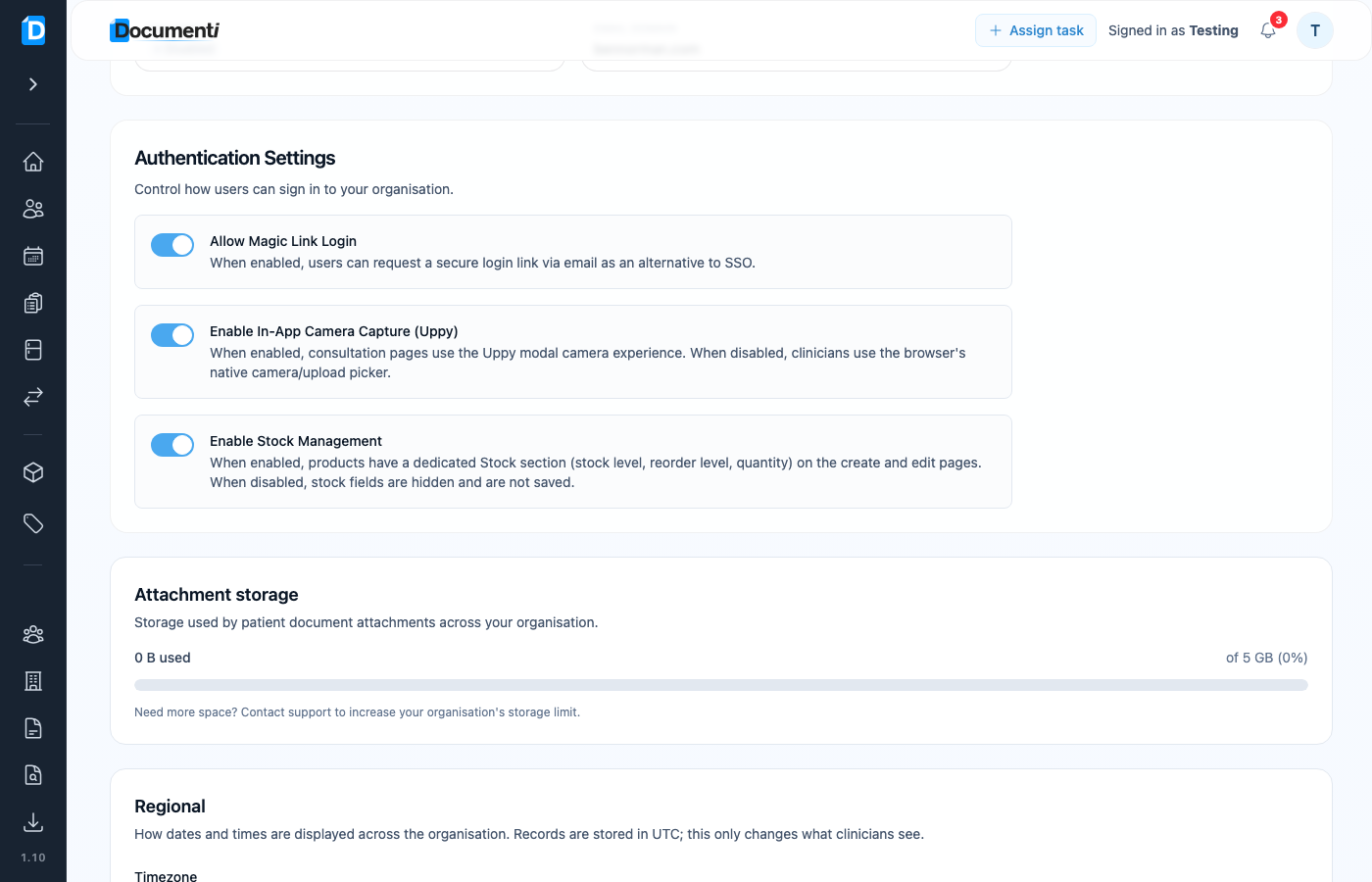
Turn stock management on
- Open Settings → Organisation.
- Find Enable Stock Management.
- Switch it on and save if prompted.
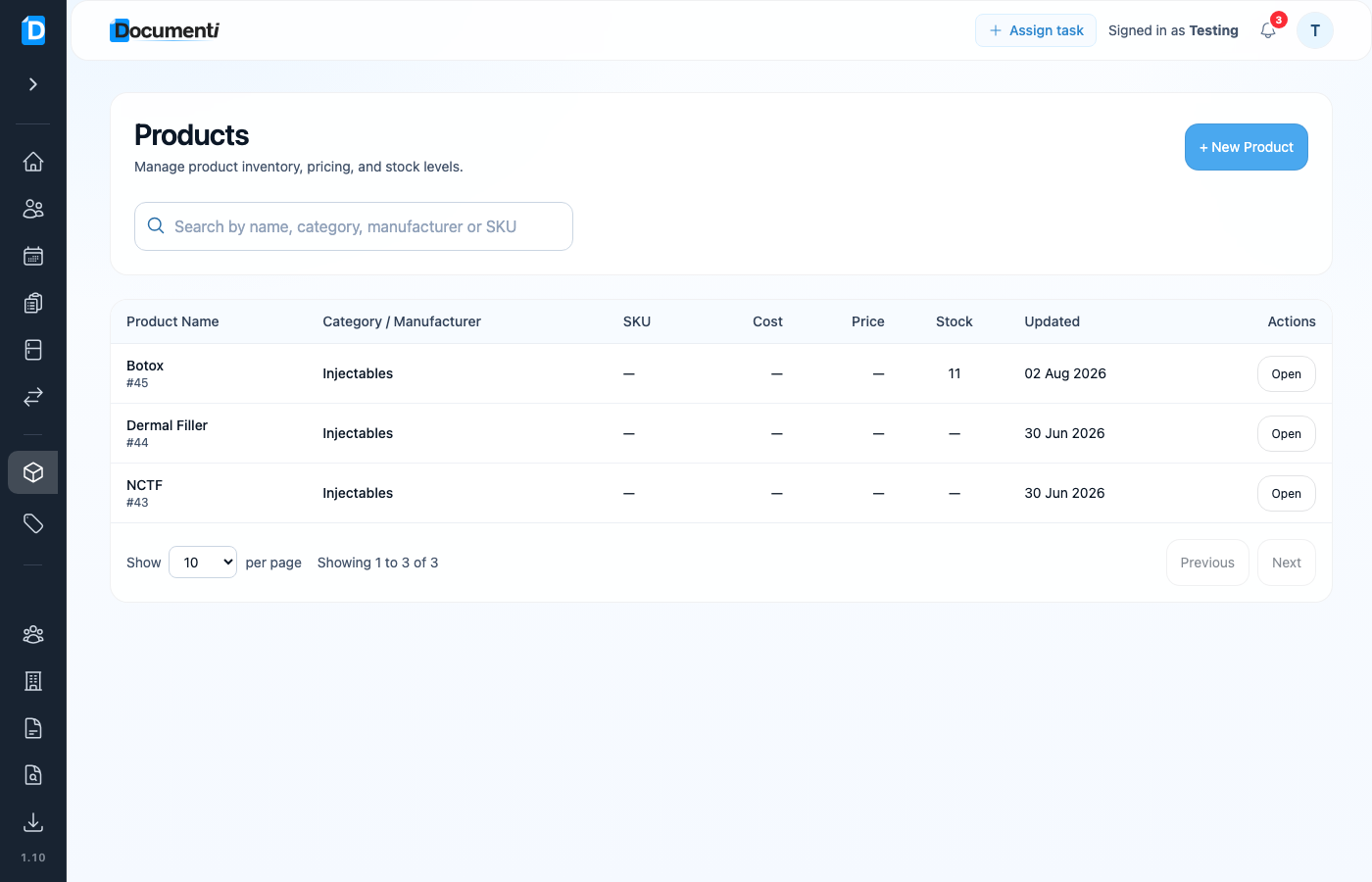
See stock on Products
Open Products. The Stock column shows current levels. Categories and Types sit in tabs at the top of the page (not in the sidebar). Open a product to edit stock level, reorder point, and quantity.
Stock deducts when you complete treatment
For clinics with stock management on, completing a treatment deducts the products used on that visit automatically. Stock can go below zero: an unrecorded vial shows as a minus so you can correct it, rather than blocking the treatment.
Stock Ledger
- Open Products.
- Select the Stock Ledger tab in the tab strip at the top.
- Filter by product and reason to see every movement of stock.
Note
This is Documenti’s professional product stock, not Clinic Membership retail POS inventory. Dilutions and batches for treatment maps are still configured on each product.