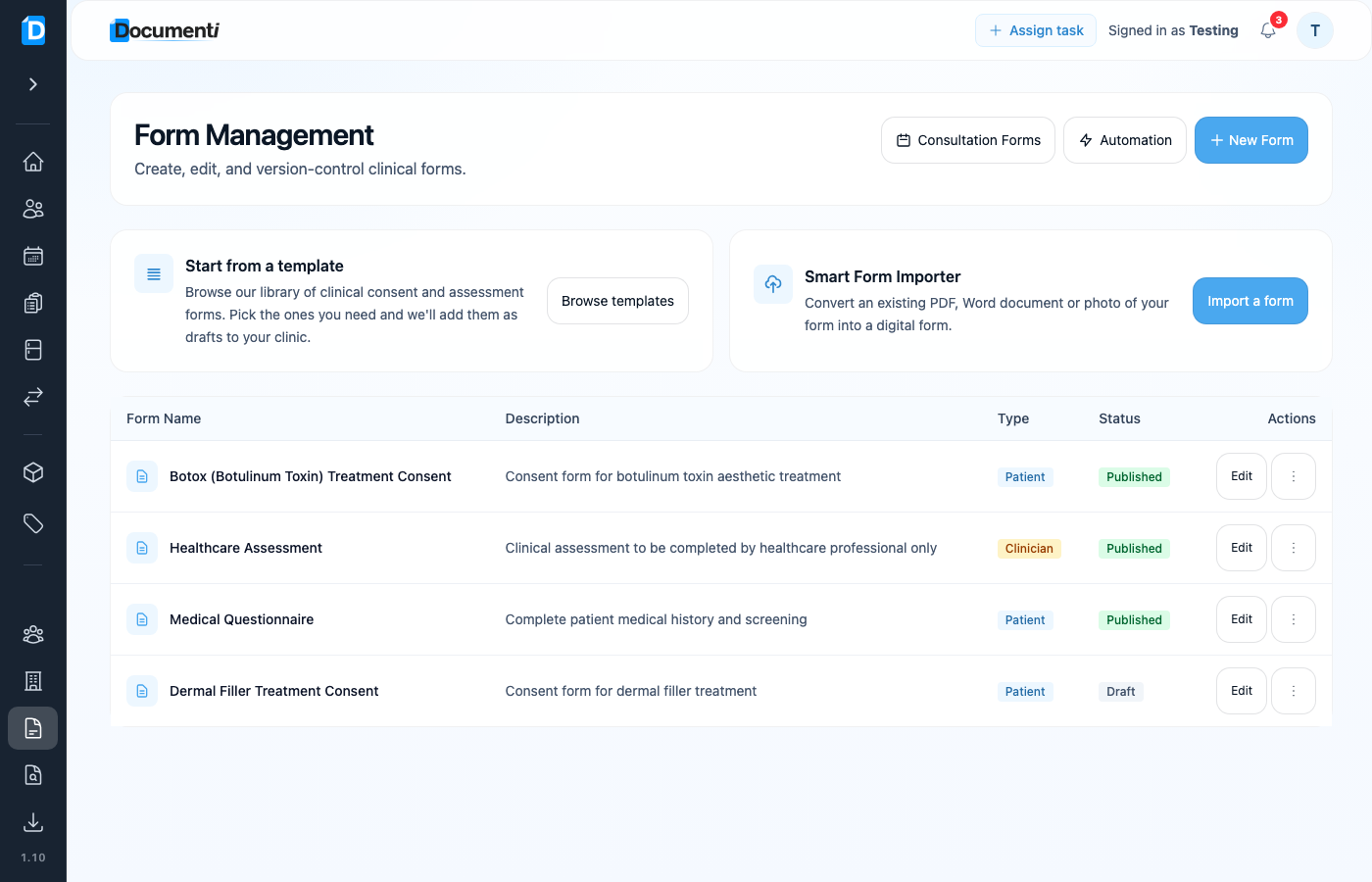
If you already have consent or assessment forms on paper or as files, you do not need to rebuild them from scratch. Smart Form Importer converts blank templates into editable draft forms in Form Management.
Open the importer
- Sign in at app.documenti.co.uk.
- Open Form Management.
- Choose Import a form under Smart Form Importer — or go to Forms → Import.
Upload or paste your form
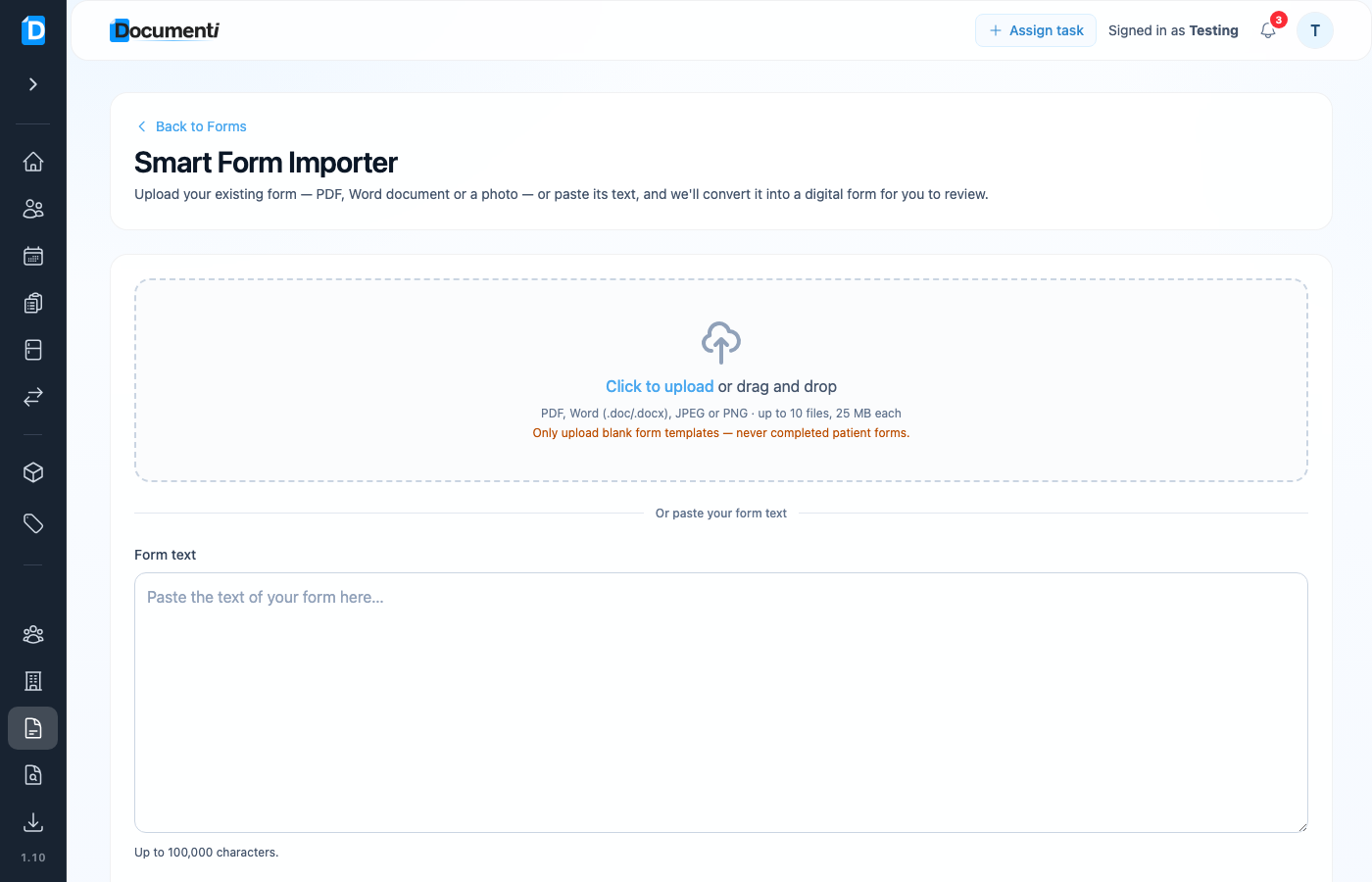
- Upload a PDF, Word (.doc/.docx), JPEG, or PNG — up to 10 files, 25 MB each — or paste the form text.
- Click Convert to digital form.
- Review the draft in the form builder, fix any fields that need adjusting, then publish when ready.
Note
Only upload blank form templates. Do not upload forms that already contain patient answers or signatures.