The Daily List is your treatment-room home screen. It shows who is booked today (or any day you select), which service they are in for, which clinician is assigned, and the booking status — so you can open the right patient without searching.
Open the daily list
- Sign in at app.documenti.co.uk.
- Open Daily List from the main menu (calendar icon).
- Use the date control to move day-by-day, jump with Today, or pick a date on the calendar.
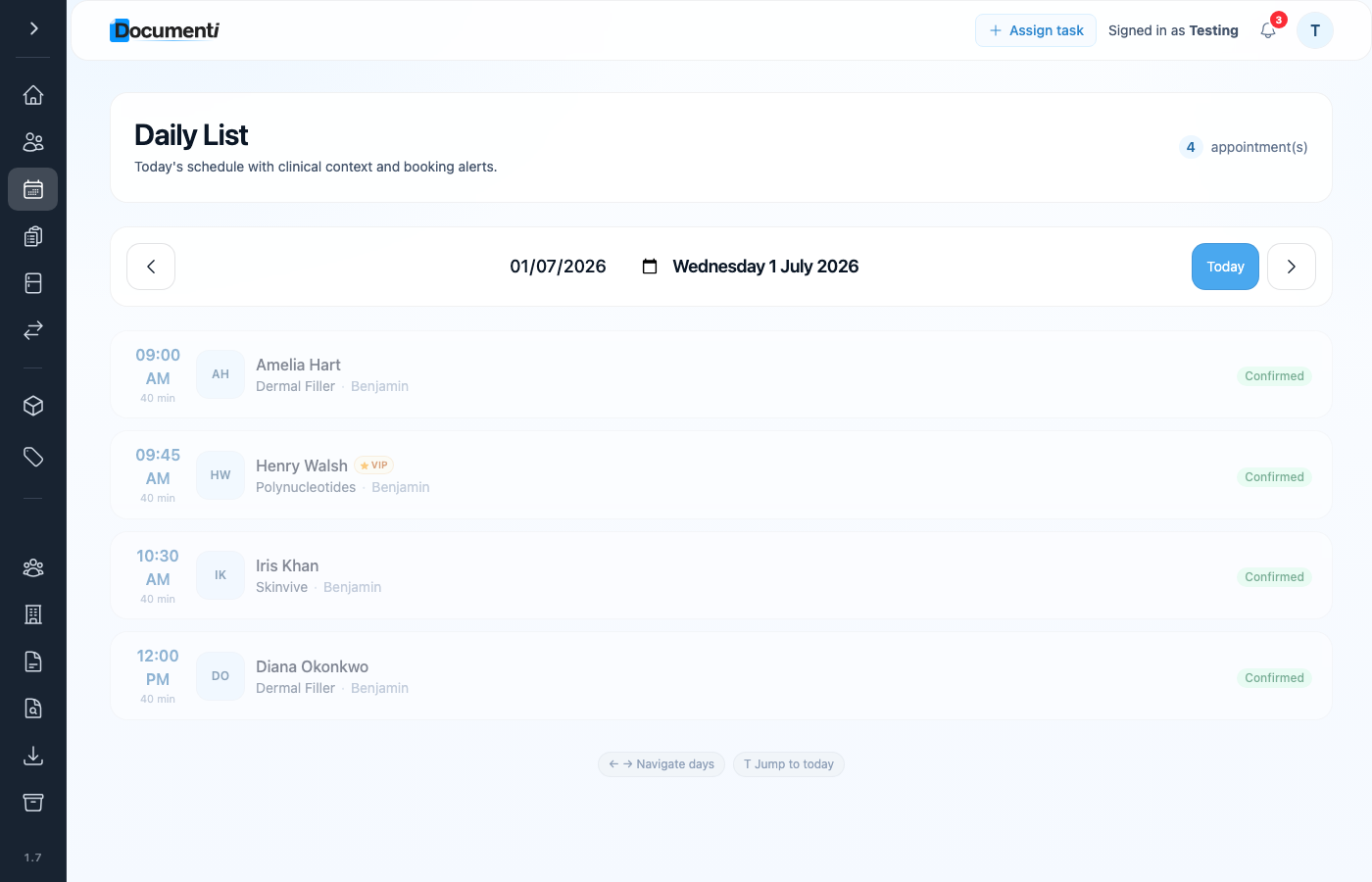
What each row shows
- Start time and appointment length.
- Patient name — with a VIP badge when they have an active membership in Clinic Membership.
- Booked service name and assigned clinician.
- Status such as Confirmed (kept in sync with the diary).
Tip
Keyboard shortcuts: left/right arrows change day, and T jumps back to today — useful on a tablet between patients.
Start a patient from the list
- Select the appointment row to open the patient record.
- From Overview, use Start (or Continue consultation / Continue treatment if a visit is already in progress).
- If someone is missing, confirm the booking date and clinic in Clinic Membership, then wait about a minute for sync — see how the daily list populates if it still does not appear.