Every patient has an Overview that summarises their clinical record — counts, last visit, open consultation banners, alerts, and recent treatments. Use it as the hub before you start, continue, or review a visit.
Open a patient
- From Daily List, select today’s patient — or open Patients and search by name or email.
- You land on Overview for that patient.
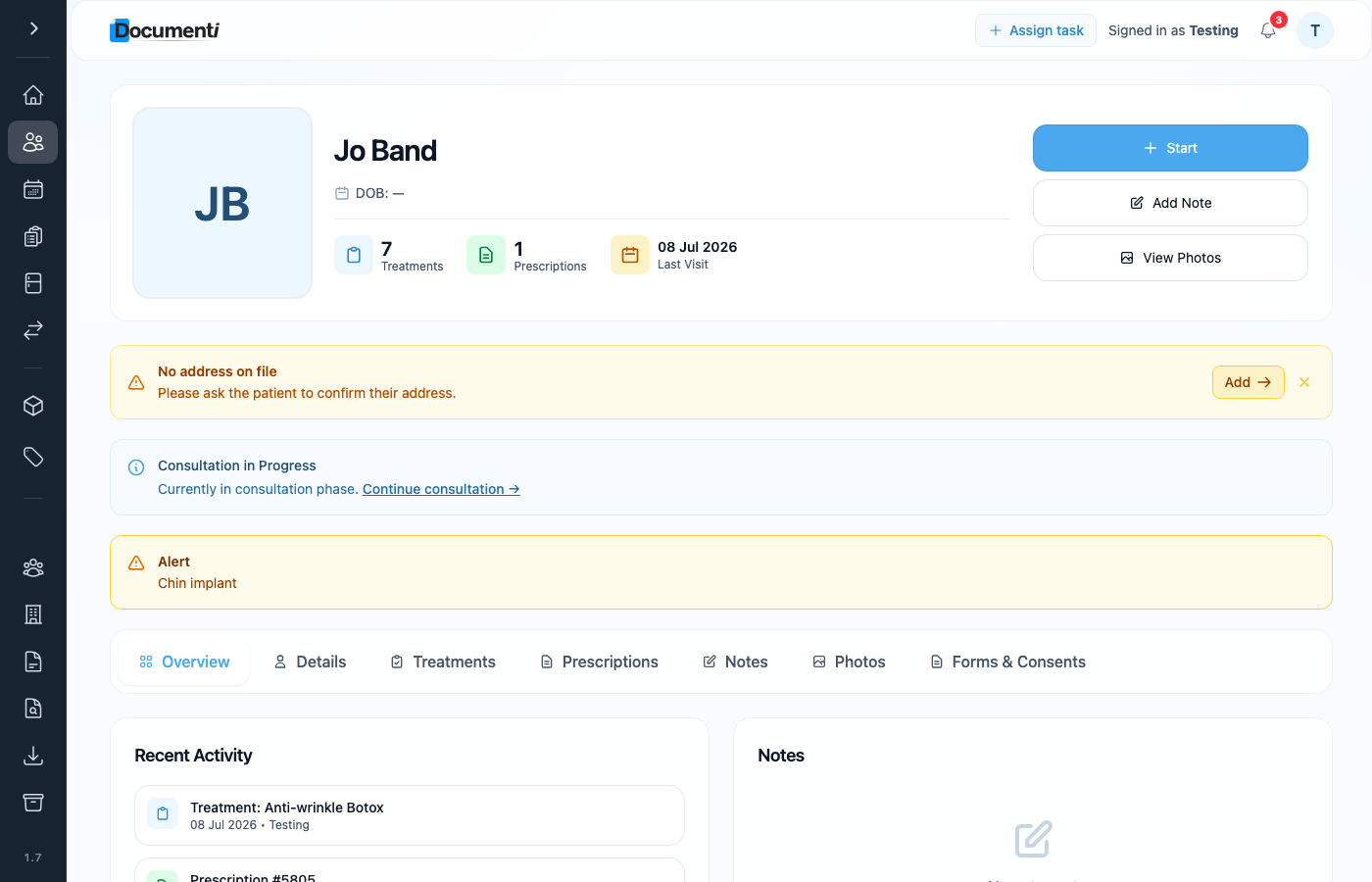
Header actions
- Start — begins a new consultation when none is open.
- Continue consultation / Continue treatment — resumes the phase you left mid-visit.
- Add Note and View Photos — open notes or photo history without leaving the patient.
- Summary tiles show treatment count, prescriptions, and last visit date.
Tabs on the patient record
- Overview — summary and recent activity.
- Details — demographics and contact information.
- Treatments — full visit history (consultation, treatment, review).
- Prescriptions — issued prescriptions for this patient.
- Notes — clinical notes for the record.
- Photos — before/after and review photos.
- Forms & Consents — questionnaires and signed consent snapshots.
Note
Admin notes synced from Clinic Membership appear on the patient record for handover, separate from clinical consultation notes. Alerts (for example implant history) show as banners so you see them before treating.