Completing Consultation, Treatment, or Review locks that phase so the record stays accurate. If you need to correct something — a missed product, map point, or form — reopen the phase, edit, then complete it again.
When a phase is locked
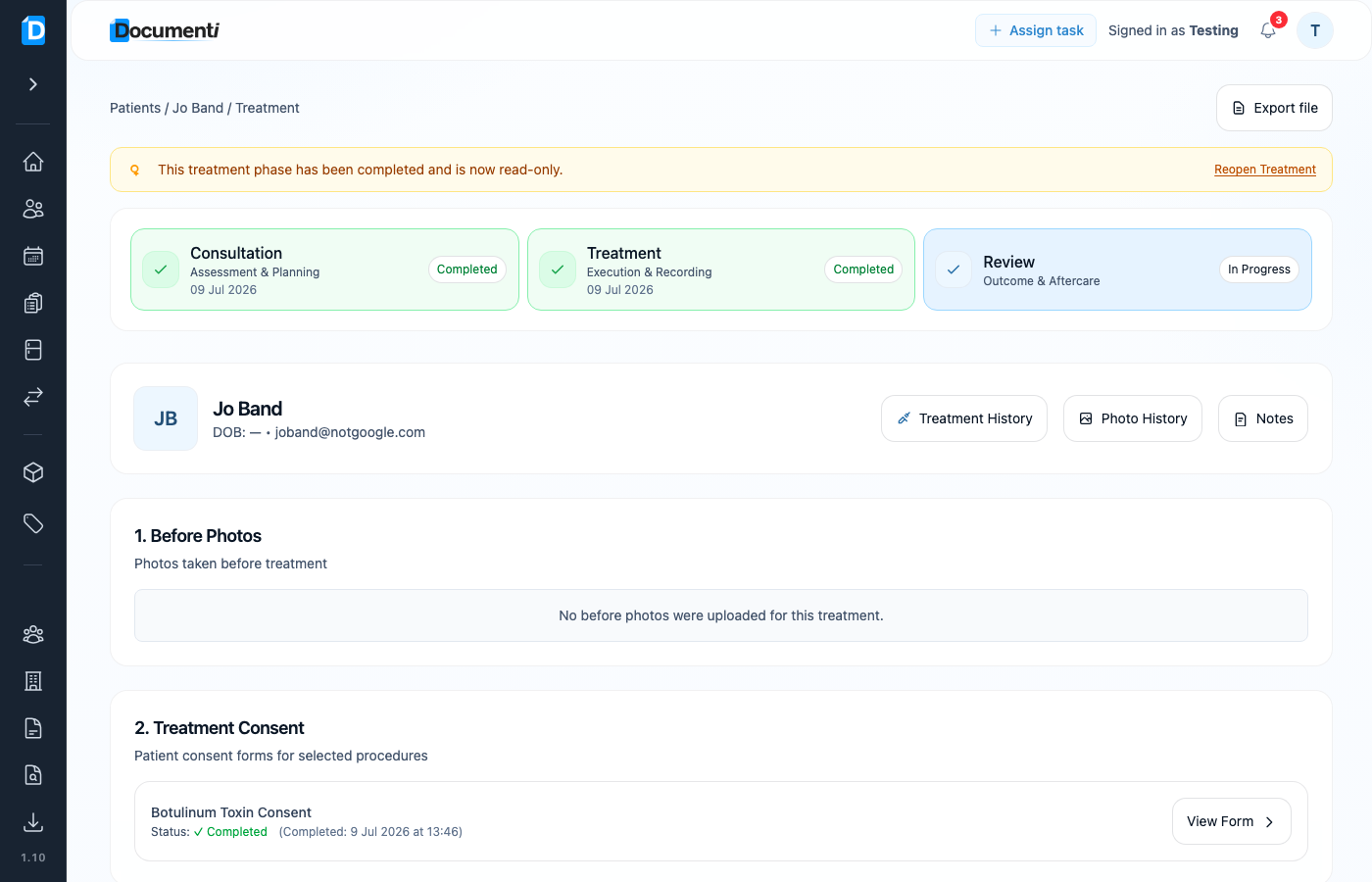
A completed phase shows a yellow banner: the phase “has been completed and is now read-only.” Forms and fields stay viewable, but you cannot edit until you reopen.
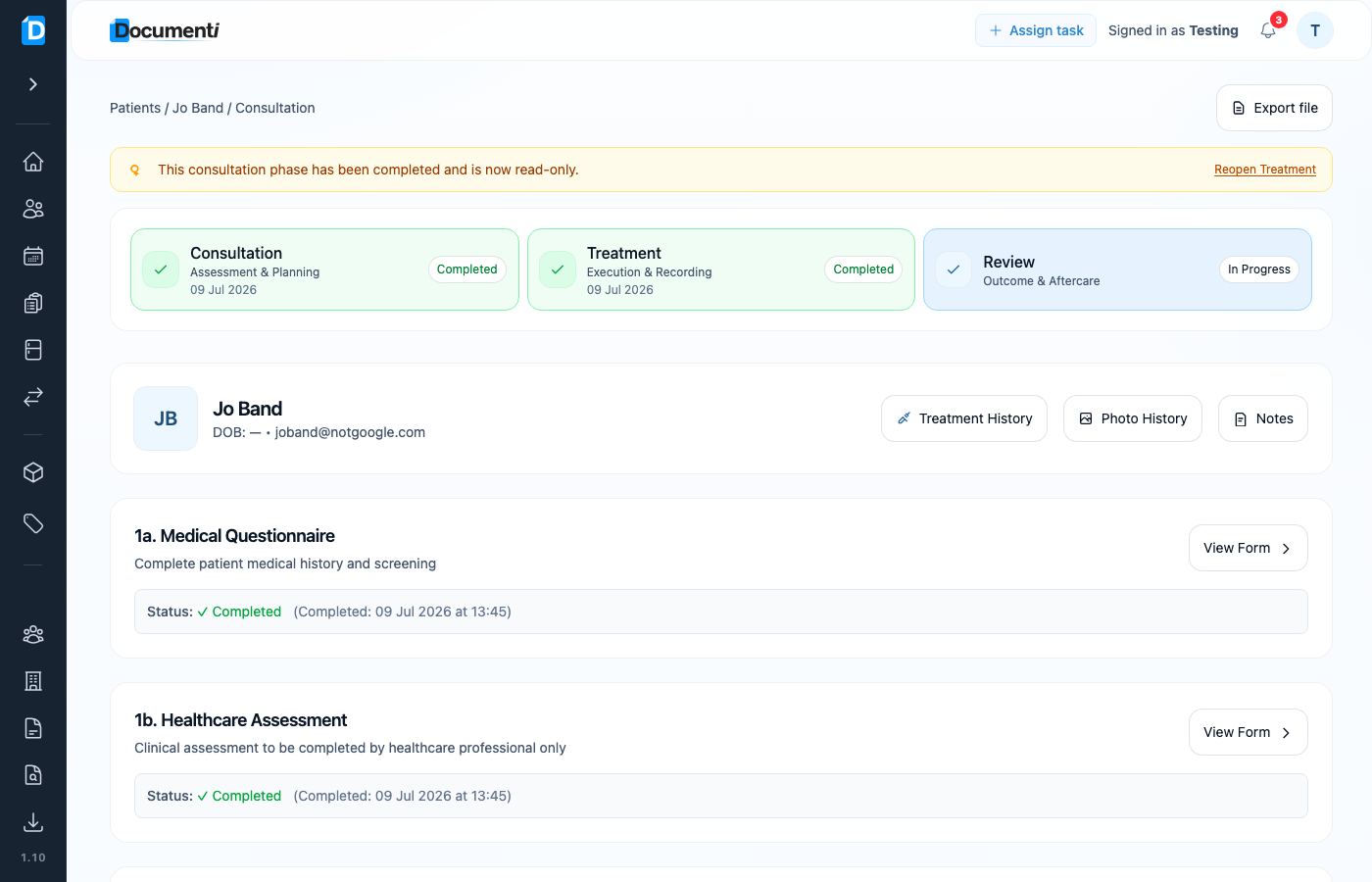
Reopen Consultation or Treatment
- Open the visit from the patient Overview, Treatments list, or Daily List.
- Select the completed Consultation or Treatment phase card.
- On the yellow banner, choose Reopen Treatment.
- Make your changes, then complete the phase again when finished.
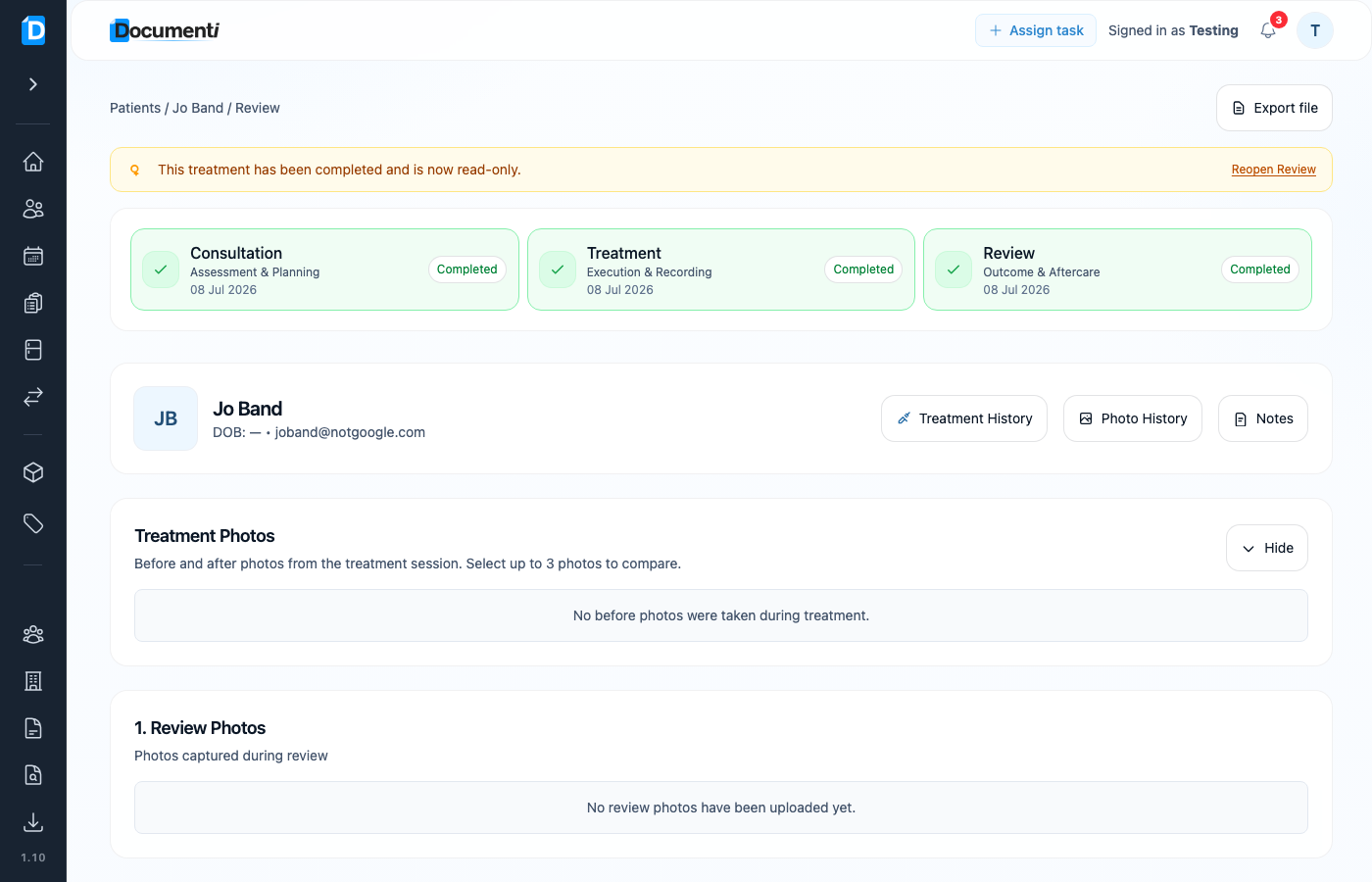
Reopen Review
- Open a visit where Review is completed (status Review Complete on Treatments).
- Open the Review phase.
- Choose Reopen Review on the read-only banner.
- Amend photos, map points, products, or notes, then complete the review again.
Note
Reopening is for corrections. After you finish, complete the phase again so it returns to read-only and the visit status stays clear for the rest of the team.