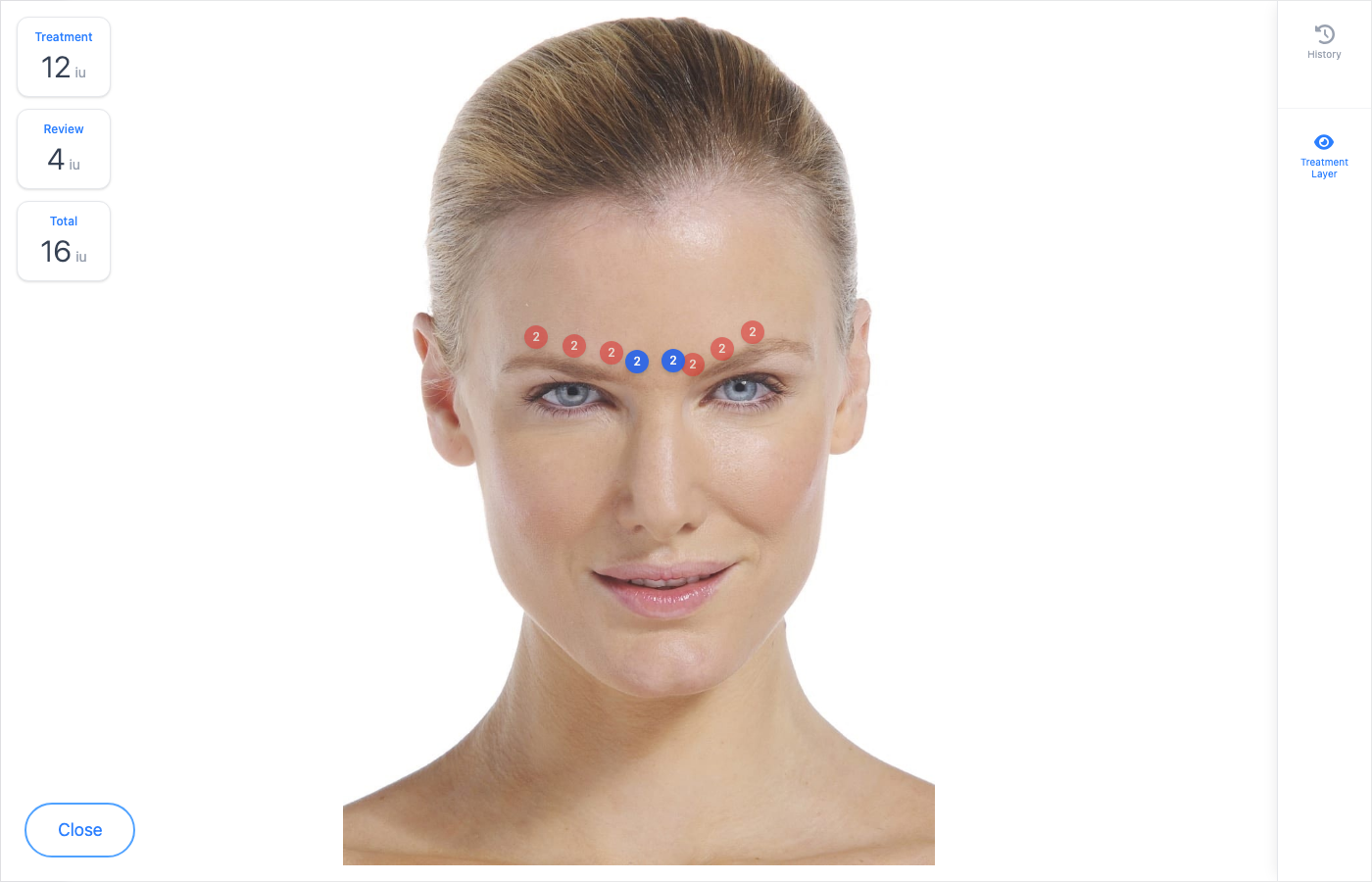
Review is the third phase of a visit — Outcome & Aftercare. Use it for follow-up appointments (for example a 2–4 week toxin review) or to finish aftercare the same day. You can see the original treatment layer beside any new review points.
Open a review
- Open the patient from Daily List or Patients.
- If treatment is already complete, open the visit and choose the Review phase — or Continue from Overview when Review is available.
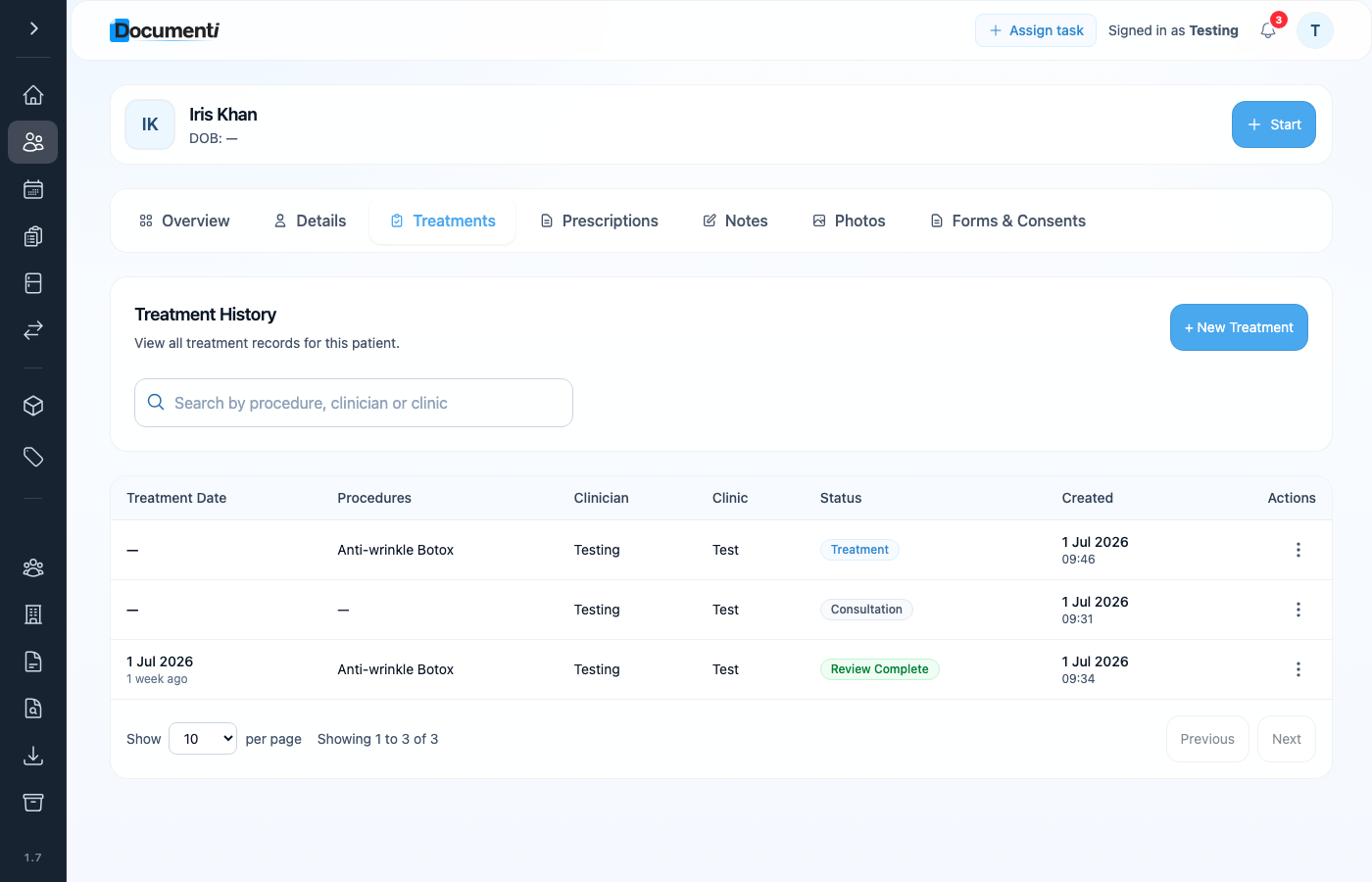
- From Treatments, open a visit with status Review Complete to see a finished review read-only.
Tip
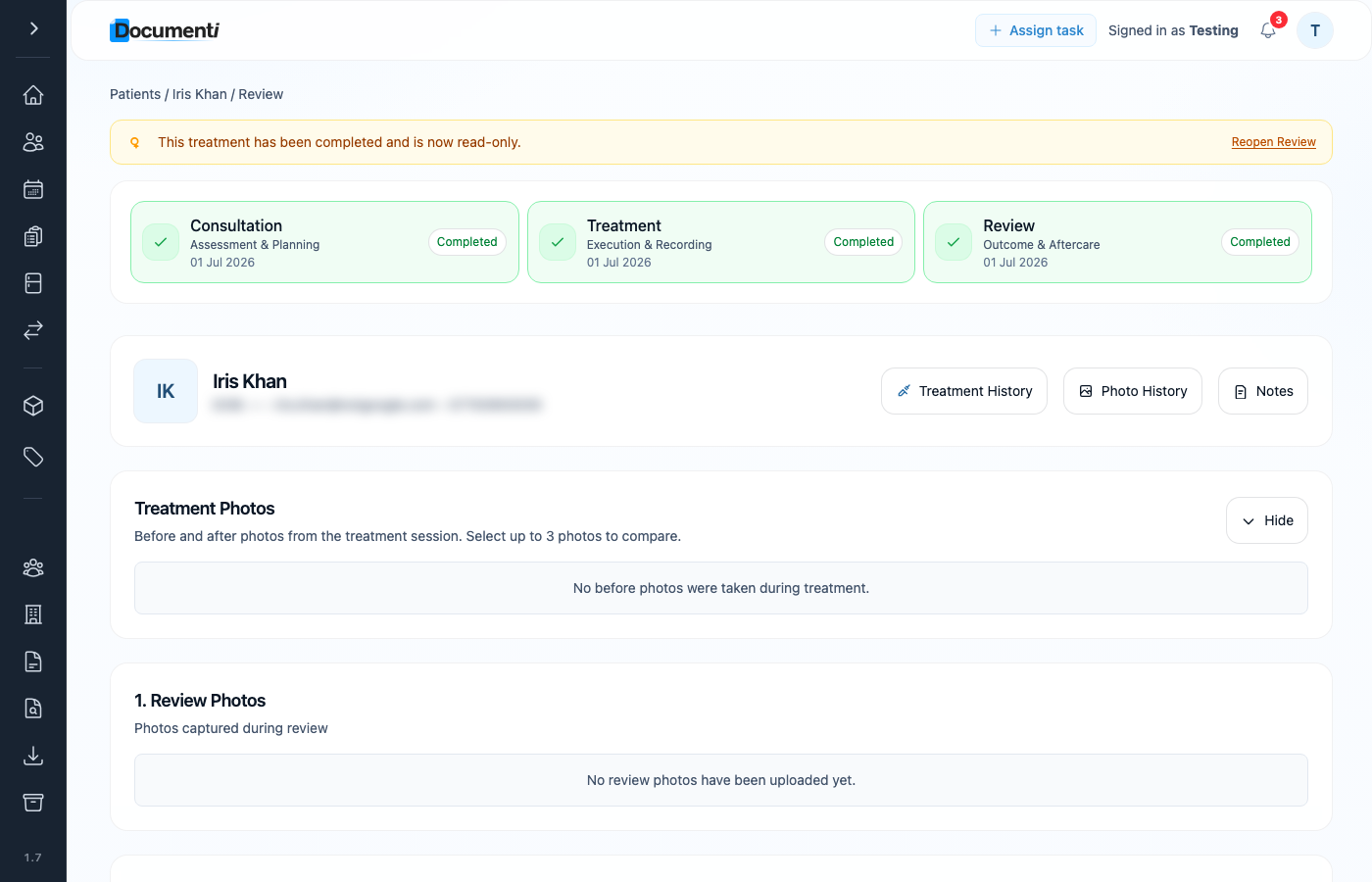
Need to amend a completed review? Choose Reopen Review on the yellow read-only banner, then complete the review again when finished.
What to record at review
- Review Photos — capture photos at follow-up if you need them for comparison.
- Products Used — log any product used for top-ups at review.
- Treatment Plan Review — View / Edit the map; blue review points sit alongside the original red treatment layer.
- Treatment Notes — add review notes (saved immediately).
Note
Toggle Treatment Layer on the map if you need to hide or show the original points while placing review units. Save Review when finished.
Find past visits
Open the Treatments tab on the patient record for a list of consultations, treatments, and completed reviews — useful when comparing sessions before booking the next one.